 RevDash
Live OBD-II, then replay
Every sensor your car already has, on your phone.
Plug a cheap ELM327 into the OBD port, watch RPM, coolant, load and boost as you drive, and record the trip to the phone. Nothing leaves the phone until you upload a drive yourself, and then you can replay the route in a browser, coloured by any parameter you logged.
How it works
An adapter, a phone, and a browser.
There is no box to fit, no subscription hardware and no tracker wired into the loom. The parts are an adapter you can buy anywhere and a phone you already own.
Plug in the adapter
Any ELM327 over Bluetooth Classic, BLE or Wi-Fi. RevDash tells you which protocol the car answered on.
Build your dash
Drag the gauges you care about. Mode 01, VAG Mode 22 extras, or a community CSV you imported.
Record the drive
Written to the phone as you go, with GPS if you allow it. Nothing leaves the device on its own.
Replay in a browser
Upload when you want to, then scrub the route coloured by coolant, boost, speed, whatever you logged.
In the car
A dashboard that explains itself.
Most OBD apps fail in the car park with a spinner and no reason. RevDash tells “couldn’t reach the adapter” apart from “adapter fine, no ECU answering”, and says which one it hit.
-
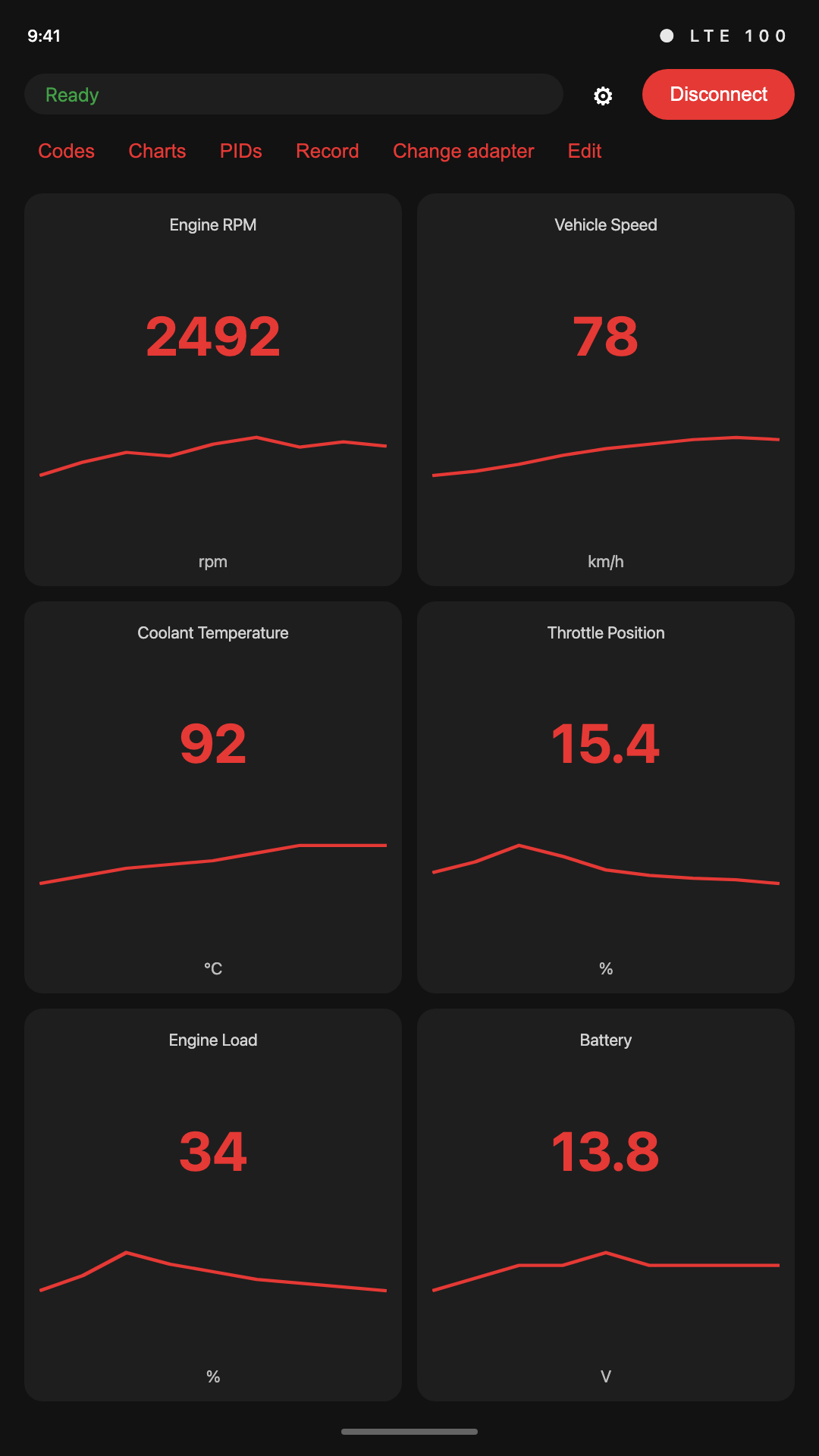
Live gaugesRPM, speed, coolant, throttle, load, battery voltage, and whatever else in Mode 01 your ECU actually answers.
-
VAG extras over Mode 22Oil temperature, charge pressure actual and specified, torque, lambda, timing, rail pressure and wastegate, when a VW, Audi, SEAT or Škoda answers.
-
A dash you arrangeAdd, remove, drag and resize tiles. Each vehicle profile keeps its own layout, and its own adapter.
-
Check-engine, done carefullyStored, pending and permanent codes with freeze frame and generic SAE titles, and a clear that asks before it does anything.
-
Estimated gearDerived from RPM and speed, so it works on a manual as well as an automatic.
Android 8.0 or later. Needs an ELM327 adapter and a car that speaks generic OBD-II.
In the browser
The drive, not a summary of it.
A trip log is a wall of numbers. The replay puts those numbers back where they happened, so a reading you noticed becomes a corner you remember.
The route on a real map
Your drive on a photorealistic 3D globe, or on a greyscale 2D map from this server. Switch at any time.
Colour it by anything
Speed, coolant, boost, load, pick a parameter and the route is coloured by it, with a legend and its real range.
Charts locked to the map
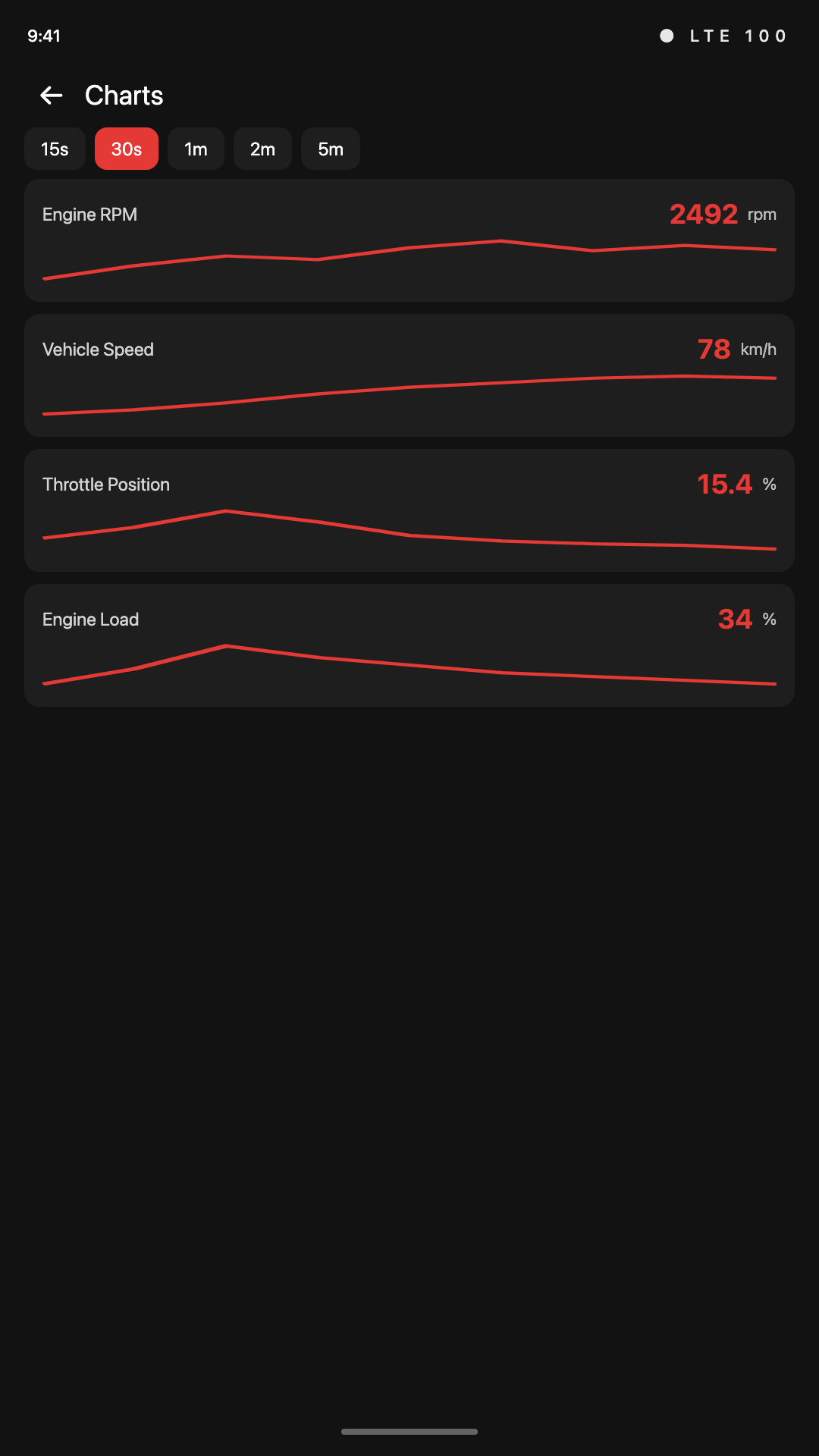
Scrub the trip and the marker follows. Brush a range on a chart and every chart zooms to it together.
Play it back
1×, 4×, 16× or 60×, so a commute takes a minute and a track session takes as long as it needs.
Every value, downloadable
Full-resolution CSV of the whole trip, whenever you want it. It is your data and it leaves in a format anything can open.
Works without a basemap
No map installed, or a drive with no GPS fix? The trip still opens, the charts still draw, and the page says why.
Privacy
A privacy-first approach.
Trips stay on the phone until you upload one, and a drive is only visible to anyone else if you make a link. Delete an account and the drives go with it. The full policy is at revdash.me/privacy.
Generic OBD-II is powertrain only: no ABS, no airbags, no manufacturer body modules.
Nothing is written to the ECU except a code clear you confirm.
Cheap clones lie about their firmware. RevDash shows you what yours actually reported.
Pricing
Free to use. Pro when you outgrow it.
The app itself is free and works with no account at all. An account only matters when you want trips off the phone.
Free
The whole app without an account. Cloud gives you 20 trips a month, 30 days of history, CSV download and share links.
Create an accountPro
Unlimited trips, kept indefinitely. Billed monthly in South African Rand, or through Google Play if you buy in the app.
See pricingHonest limits
Not a shop scan tool. No ABS or SRS codes, no live coding, no manufacturer-specific diagnostics. If that is what you need, buy a scan tool.
Upgrade from inside your account, so the subscription attaches to the right one.
Honest limits
What RevDash doesn’t do.
Generic OBD-II is a narrow window into the car, mostly powertrain, and only what the ECU volunteers. Anyone promising more than this over a cheap adapter is selling something.
- It does not read ABS, airbag or body modules. Generic OBD-II does not expose them.
- It does not write to the ECU or run actuator tests. It reads, and it clears codes when you confirm.
- It is not a shop scan tool, and it is not affiliated with any vehicle manufacturer.
- It is not Torque, and it uses no Torque branding or plugins.
- There is no iPhone app. ELM327 adapters are Bluetooth Classic, BLE or Wi-Fi, and the app is Android only.
Questions
Before you buy an adapter.
Which adapter should I get?
Any ELM327-compatible adapter: Bluetooth Classic, BLE, or Wi-Fi. There is no approved-hardware list and nothing to unlock. RevDash binds whichever adapter you pick to a vehicle profile and remembers its protocol. A Wi-Fi dongle is its own access point: join it in Android settings, then add it in the app. USB is not supported. The adapter notes cover the rest.
Will it work on my car?
If the car speaks generic OBD-II on the powertrain, broadly, petrol from 2001 and diesel from 2004 in the EU, and 1996 onward in the US, you will get the standard Mode 01 readings. Which ones depends entirely on what your ECU answers, and RevDash shows you the ones it actually got rather than inventing the rest. VW, Audi, SEAT and Škoda additionally answer Mode 22, which is where oil temperature and charge pressure come from.
Do I need an account?
Not for the app. Gauges, codes, charts, layouts and CSV export all work with no account and no network. An account only exists so trips can leave the phone and be replayed in a browser.
What actually gets uploaded?
The trip: the OBD readings you recorded and, if you granted location, the GPS columns alongside them. It happens when you sign in and tap Upload, not in the background and not on its own. Telemetry goes straight to storage and is never readable by anyone holding just your trip list.
Can I get my data out?
Yes. Full-resolution CSV, every value, from the replay page, on the free tier as well as Pro. The trip log on the phone is a CSV too. Nothing here is a format you need RevDash to read.
What happens when I hit the free limit?
Uploads for that month stop at 20 trips and the app tells you so. Recording carries on regardless, the cap is on what goes to the cloud, never on what your phone will capture. Trips older than 30 days age out of the free tier.
Is my route sent to a map provider?
In 3D, yes: the globe is Google Maps, and the tiles they send are for the area you are looking at. Switch to 2D and the map comes from this server instead. Recording still never uploads until you tap Upload.
Where is the manual?
revdash.me/docs: adapters, the dashboard, recording, custom PIDs, cloud replay, and pointing Torque Pro at an upload URL. The privacy policy is at /privacy.
Find out what your car has been doing.
Plug in an adapter, drive, and look at the whole thing afterwards.